zc99 Live Casino Slots
Fund your account through JazzCash, Easypaisa or Raast and you're inside the lobby in seconds — slots, live casino tables and cricket-led sports betting all in one place. Access depends on local law and is available where local law permits.
Access may be available only where local law permits.

zc99 · Pakistan
Service availability depends on eligible regions and local law. Users should check local rules before opening an account.

zc99 puts the full lobby one tap away
From fan-favourite slots and live dealer tables to a sportsbook built around cricket and football, the zc99 lobby keeps everything within reach on your phone or desktop.
The full zc99 lobby on your phone
The mobile version of zc99 runs directly in your browser — no separate download needed on Android or iOS. Slots, live casino tables, crash games and the sportsbook all load at full quality on a phone screen. JazzCash and Easypaisa deposits work exactly as they do on desktop, and the account menu is accessible from the same toolbar. Players who prefer a shortcut can add zc99 to their home screen from the browser menu for one-tap access.

Local payment rails on zc99
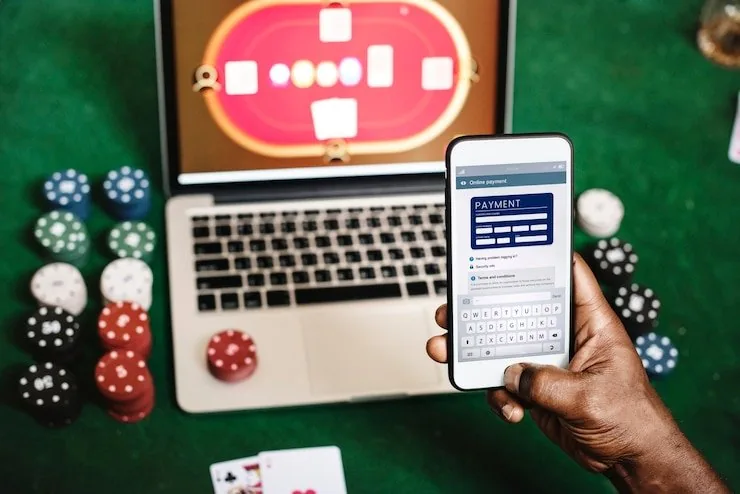
JazzCash, Easypaisa and Raast are the three main ways Pakistan accounts move money on zc99, and they work the way you're already used to. Open your JazzCash or Easypaisa app, enter the account number shown in your zc99 deposit screen, confirm with your PIN, and the transfer clears to your wallet. Raast works through your bank's own app — initiate from the zc99 deposit page, authenticate on your bank's side, and the credit appears in your zc99 balance. Bank Transfer and Debit Card are also supported for accounts that prefer them.
JazzCash
Easypaisa
Raast
Bank Transfer
Debit Card
What's running this week


How your zc99 account stays protected
Security on zc99 works in layers — the connection, the login, the transaction trail and the data handling each have their own controls. When you're moving money or updating account details, multiple checks run before anything processes. Here's what each layer actually does.
Same lobby, any screen
Whether you're on a phone in Karachi or on a laptop at home, the zc99 lobby loads the same games, the same wallet and the same account settings — no separate version, no reduced functionality.


From registration to your first round
Register
Fill in your details on the registration page and verify your mobile number with the OTP we send you.
Deposit
Choose JazzCash, Easypaisa, Raast or Bank Transfer and send funds to the account number shown — your wallet updates once the transfer clears.
Choose a game
Browse Slots, Live Casino or Sportsbook from the top menu, or search for a specific title like Aviator or Crash Pulse directly.
Play
Open any game tile to launch it — slots and crash games load instantly, and live casino tables stream directly in your browser.
Slots, live casino and more under one roof
Table Game Guide Pakistan
Responsible Play Pakistan
Eligible Region Note Pakistan
Blackjack Winner’s Table
JazzCash Payments
Football Agility
Getting your zc99 account running
Open your account, pick a wallet you already use — JazzCash, Easypaisa or Raast — and your balance is ready before you've had time to browse. The account dashboard shows your active wallet, transaction history and any current offers in one view. If you run into anything, our support team is reachable directly from the account menu. Players in Karachi and Lahore move through the account setup in the same flow — the steps are identical whether you're on mobile or desktop.
Offers for new accounts

Open your account, make your first deposit via JazzCash, Easypaisa or Raast, and check the promotions page for the current new-member casino offer. Terms apply.
Open Your Account
New accounts placing their first sportsbook wager on cricket or football markets can check the promo board for any active sports welcome offer. Terms apply.
Open Your AccountReaching the zc99 support team
Whether it's a deposit question, an account access issue or a query about a withdrawal, the support team is set up to handle it. Live chat is the quickest route; email works for anything that needs a written trail. Mobile wallet queries — especially around JazzCash and Easypaisa reference numbers — are handled by the same team, so you don't need to go through a separate queue.
Live Chat
Open the chat widget from any page inside your account. The live chat route is the quickest way to reach a support agent for deposit issues, login problems or lobby questions.
Email Support
Send your query to the support email address listed in the footer. Email works well for withdrawal verification questions or anything where you need to share a transaction reference number.
Mobile Wallet Help
JazzCash and Easypaisa deposit queries — including reference number lookups and transfer confirmations — are handled through the same live chat and email channels as all other account support.
Platform at a glance
- Game providers
- Pragmatic Play, Evolution, Red Tiger, Playtech
- Game categories
- Live Casino, Slots, Sportsbook
- Sports betting
- Included
- Accepted currency
- PKR
- Payment methods
- JazzCash, Easypaisa, Raast, Bank Transfer, Debit Card
- Customer support
- Live chat and email
Frequently asked questions about zc99
Answers to the questions we hear most often about accounts, payments and the lobby.
How to navigate the zc99 lobby
The lobby menu across the top of every page splits into Slots, Live Casino, Sportsbook and Table Games. Tapping any category filters the visible games immediately — no page reload. To find a specific title like Crash Pulse or Gates of Olympus, use the search bar in the top-right corner and results appear as you type. The account icon, wallet balance and support shortcut are pinned to the header so they're reachable from any section. Switching between the sportsbook and the casino does not clear your session, so you can check a cricket market and come back to a live table without logging in again.
Browse by category
Use the top navigation to switch between Slots, Live Casino, Sportsbook and Table Games. Each category loads its own tile grid and you can apply filters to narrow down by studio or game type.
Search for a specific game
Type any game name into the search bar — Aviator, Mahjong Ways, Blackjack Winner's Table — and matching results appear immediately. The search works across all lobby categories at once.
Access your account
The account icon in the header opens your wallet, deposit history, withdrawal requests and personal settings. It stays pinned so you can reach it from anywhere in the lobby without navigating back to a home screen.
Switch between sections
Moving from Live Casino to the Sportsbook or back keeps your session active. Your balance and any open wallet activity carry across sections, so you pick up exactly where you left off.